You know the feeling. You've queued up a 90 GB game download, stepped away for a coffee, and came back to find your PC has gone full hibernate mode — killing your download speed and locking you out. Or your Microsoft Teams status flipped to "Away" mid-meeting prep, and now your manager thinks you're slacking. These aren't gaming problems or work problems. They're PC sleep problems. And they have a dead-simple fix.
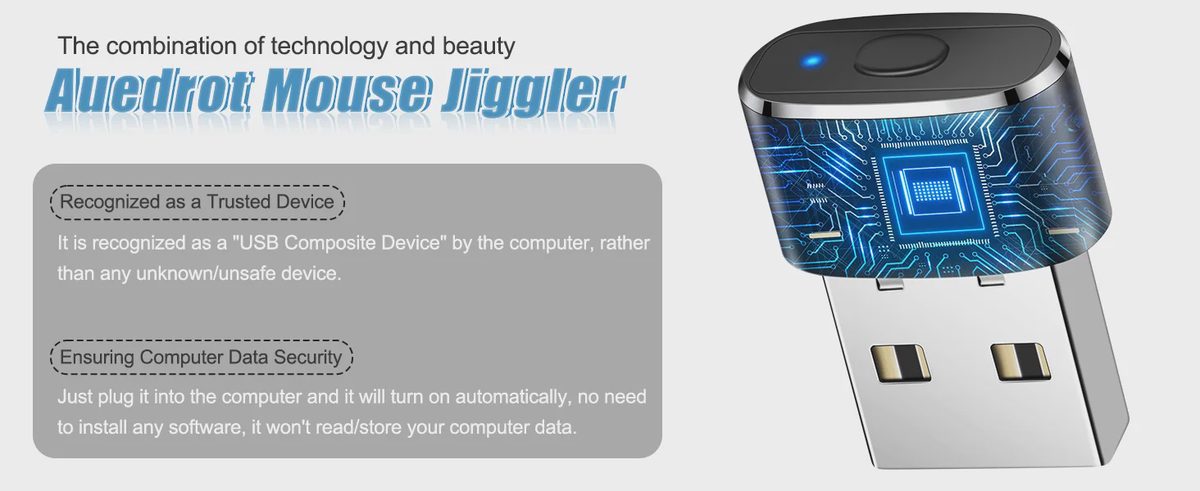
The AUEDROT Mouse Jiggler is a compact USB mouse mover that silently nudges your cursor in the background, keeping your PC wide awake without touching a single setting. At just $9.99 and packing a 4.7-star rating from over 138 verified buyers, this little aluminum device punches well above its price tag. Two jiggle modes, zero software, and a build quality that makes the competition look cheap. Let's dig in.
Short on time? Check the current price and availability before reading the full review.
What Is the AUEDROT Mouse Jiggler?
A mouse jiggler — also called a USB mouse mover — is a small hardware device that registers fake mouse activity on your computer. Your OS thinks the mouse is moving, so it never triggers the screensaver, sleep mode, or "Away" status on collaboration apps. Think of it as a physical heartbeat signal for your PC.
Unlike software jigglers (which can be flagged, blocked by IT policies, or detected by monitoring tools), the AUEDROT is a physical USB device that your computer recognizes as a standard input peripheral. No executables running in the background, no app to install, no admin rights needed. Just plug it into any free USB port and it starts doing its job instantly — making it one of the cleanest solutions for a mouse jiggler for gaming, remote work, or anywhere else a sleeping screen is the enemy.
Key Features & Performance
Two Jiggle Modes for Every Situation
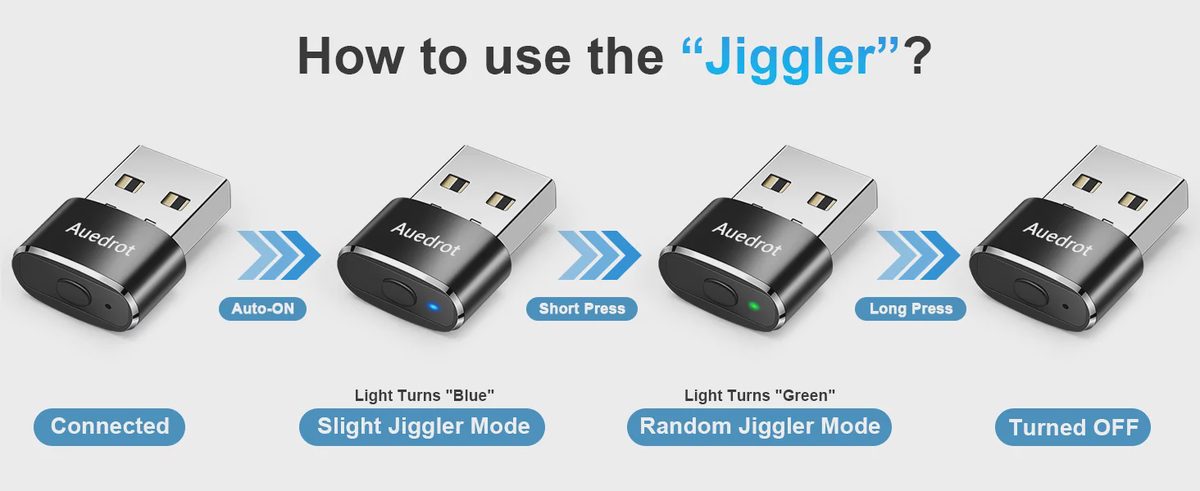
Most budget mouse jigglers give you one mode and call it a day. AUEDROT built in two, and the distinction actually matters in practice.

Slight mode is your daily driver — it won't interfere with your actual mouse usage at all. Random mode is what you want when you're stepping away entirely and need your PC to look alive. One button cycles between modes; a long press turns the device off. Straightforward.
📌 [Related: Best Budget Gaming Peripherals Under $25]
Plug-and-Play — No Software Needed
There's nothing to install. Plug the AUEDROT into any USB-A port and it powers on automatically — indicated by a small LED. The entire setup takes under five seconds. No driver downloads, no admin privileges, no software running in your system tray.
🪟Windows
Windows 7 through Windows 11. Plug in and go — no driver prompt.
🍎Mac OS
Works natively with macOS, including recent Apple Silicon machines.
🤖Android
Compatible via USB OTG adapters for Android tablets and phones.
⚡Instant On
Auto-activates on connection. Long press to disable when not needed.
This plug-and-play USB mouse mover compatibility makes it ideal if you move between multiple machines — just pull it out and plug it into the next one.
Undetectable & Trusted by Your System
Here's where the AUEDROT earns its "undetectable" label. When you plug it in for the first time, Windows (and other OSes) recognize it as a "USB Composite Device" — the same generic classification used by standard keyboards, mice, and other trusted peripherals. It doesn't show up as unknown hardware, doesn't trigger antivirus alerts, and won't set off IT monitoring flags the way rogue software often does.
Why this matters: Many workplace-managed machines block unauthorized software installs. A physical USB device classified as standard input hardware bypasses that entirely — making this the go-to undetectable mouse jiggler for professionals on locked-down corporate setups.
Premium Build Quality
Most mouse jigglers at this price point are made of glossy plastic that creaks when you look at it wrong. AUEDROT went with aircraft-grade aluminum alloy — the same material you'd find on quality flash drives and premium USB accessories. It feels substantial in hand, resists scratches, and won't crack if it gets knocked around in a bag.
The unit weighs just 18.14 grams and measures 2.21 × 1.09 × 0.79 cm — smaller than your thumb. There's a single physical button on the side for mode-switching and power control. No moving parts, nothing to break. This is a device built to be forgotten in a USB port for months.
AUEDROT Mouse Jiggler Specifications
Specification | Details |
|---|---|
Brand | AUEDROT |
ASIN / Model | B09YTB1DSB |
Material | Aluminum Alloy |
Color | Black |
Connectivity | USB (Plug-and-Play) |
Dimensions | 2.21 × 1.09 × 0.79 cm (0.87" × 0.43" × 0.31") |
Weight | 18.14 g (0.04 lbs) |
Jiggle Modes | 2 — Slight (1–2 px) + Random (irregular) |
Compatibility | Windows, Mac OS, Android |
Software Required | None — plug-and-play |
Amazon Rating | 4.7 / 5 (138+ ratings) |
Price | $9.99 |
Who Is This Mouse Jiggler For?
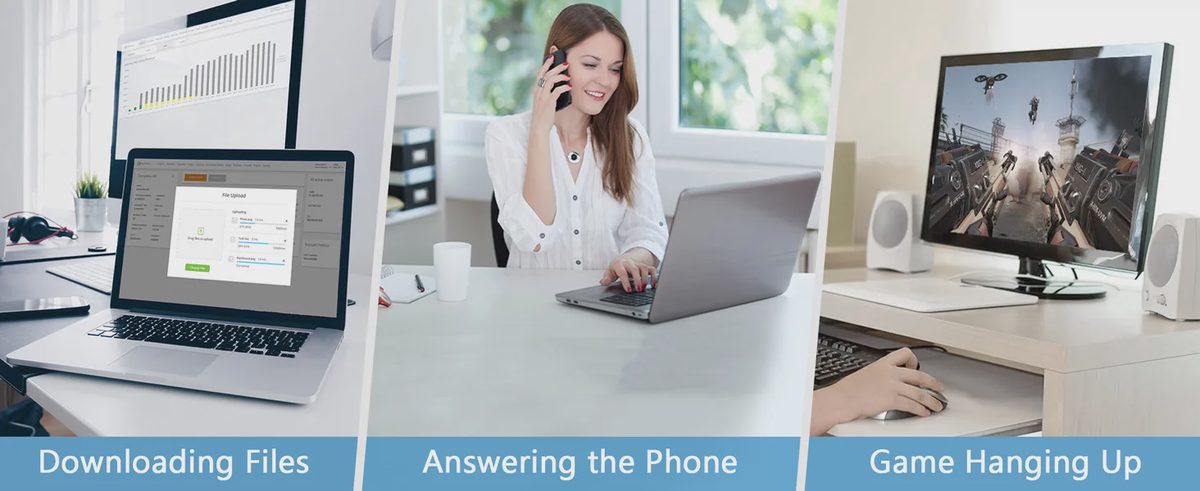
The AUEDROT is one of those rare accessories that solves a universal problem. Here's who gets the most out of it:
🎮Gamers
Keep your PC awake during massive game downloads, AFK farming sessions, overnight updates, or idle event grinding.
💼Remote Workers
Stay "Green" on Teams, Slack, Webex, or Skype without babysitting your computer every 5 minutes.
🎓Students
Keep your screen on during long online lectures or while referencing content on a second monitor.
🖥️Power Users
Ideal for overnight renders, video exports, batch file processing, or any long-running task you can't interrupt.
If you've ever had to wiggle your mouse manually to stop a video from pausing, or set your power plan to "Never sleep" just to get through a single task — this is the $9.99 fix you didn't know you needed.
📌 [Related: How to Keep Your Computer Awake — 5 Methods Compared]
Pros & Cons
✓ Pros
Two practical jiggle modes
Aluminum alloy build — not cheap plastic
Completely plug-and-play, zero software
Recognized as a trusted USB device — not flagged
Tiny and portable — stays in your bag or port
Wide OS compatibility (Windows, Mac, Android)
4.7-star rating from real buyers
✗ Cons
No auto-off timer — manual long press required
Single button means cycling through modes (can't jump directly)
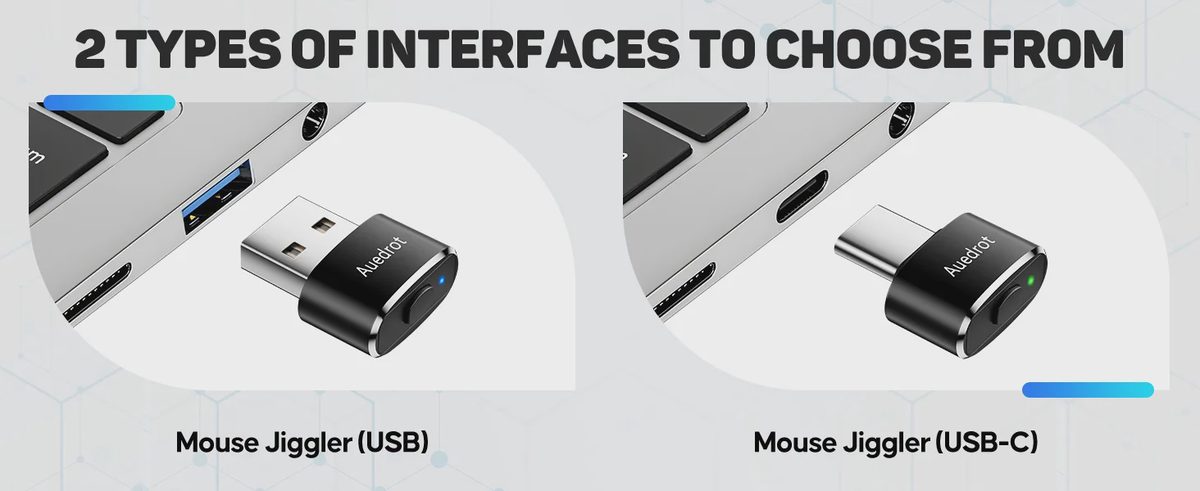
USB-A only — no USB-C native support
Should You Buy It?



No comments yet — be the first to share a thought.