We all have that one setting.
The one you don't even think about anymore. You install a game. You launch it. You click through the splash screens. And before you even see the main menu, you know exactly which option you're going to hunt down first.
It doesn't matter if it's a first-person shooter, an RPG, a strategy game, or a walking simulator. That setting is getting changed. Every single time.
What's the first setting you change in almost every PC game?
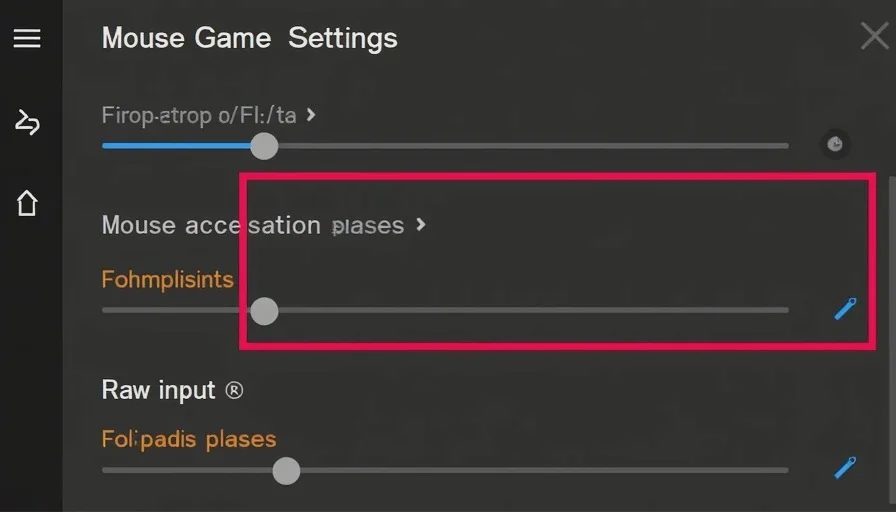
For me, it's mouse sensitivity. Specifically, turning off mouse acceleration. But I know I'm not alone in having a ritual. And I'm curious to see what everyone else's first stop is.
My first change: disabling mouse acceleration
Let me explain what mouse acceleration does, for anyone who isn't already furious about it.
What is mouse acceleration?
Mouse acceleration changes your cursor speed based on how fast you move the mouse. Move slowly, and the cursor moves a short distance. Move quickly, and the cursor moves a much longer distance.
On paper, this sounds helpful. In practice, it makes aiming inconsistent. Your muscle memory can't learn the relationship between physical movement and on-screen movement because that relationship is constantly changing.
Why do games enable it by default?
Because it feels "smooth" to casual players. It makes the mouse seem more responsive. It's designed for desktop use, not gaming.
Why do I disable it instantly?
Because I want my aim to be predictable. I want every flick, every turn, every micro-adjustment to feel the same. When mouse acceleration is off, moving my mouse four inches across my mousepad always turns my character the same amount. Always. No exceptions.
The alternative: raw input
Many modern games have a "raw input" option. This bypasses Windows' mouse settings entirely and reads the mouse directly from the hardware. I turn this on when it's available. Combined with mouse acceleration off, it gives me the most consistent aiming experience possible.
The other settings players change first
Mouse sensitivity is my go-to. But I asked around, and the answers were surprisingly diverse. Here are the settings that other players change before they even start playing.
Field of view (FOV)
This was the most common answer after mouse sensitivity.
The default FOV in many games is too narrow – usually around 60 to 70 degrees. This was designed for console players sitting far away from their TVs. PC players sit close to their monitors. A narrow FOV at close range can cause motion sickness.
"I crank it up to at least 90 immediately," one player told me. "Sometimes higher, depending on the game. The default makes me feel like I'm looking through a toilet paper tube."
Why it matters: A wider FOV gives you more peripheral vision. You see more of the environment. You spot enemies earlier. And crucially, you don't get headaches after thirty minutes.
The trade-off: Higher FOV can make distant objects look smaller. In competitive shooters, some players prefer a narrower FOV so they can see enemies at long range more clearly. But for most games, 90-100 degrees is the sweet spot.
Disabling motion blur

Motion blur is the second most common first-change setting. And players either love it or hate it.
Why motion blur exists: It's meant to mimic how our eyes perceive fast movement. In theory, it makes the game feel smoother.
Why players hate it: It obscures detail. It makes the image look smeary. It can cause motion sickness. And in fast-paced games, it actually makes it harder to track moving targets.
"I turn it off before I even adjust my resolution," one player said. "I don't care if it's 'cinematic.' I want to see what I'm shooting at."
The verdict: Motion blur is almost universally despised by PC gamers. It's one of the few settings that the majority of players agree should be off.
V-Sync
Vertical synchronization, or V-Sync, is another polarizing setting.
What it does: V-Sync matches the game's frame rate to your monitor's refresh rate. It prevents screen tearing – that ugly visual artifact where the screen looks like it's split horizontally.
Why some players turn it off: V-Sync adds input lag. The game has to wait for the monitor to refresh before displaying the next frame. That delay can be noticeable in fast-paced games.
Why some players keep it on: Screen tearing is genuinely distracting. Some players prefer the visual smoothness over the slight input delay.
The compromise: Many modern games offer "adaptive V-Sync" or "G-Sync" / "FreeSync," which gives you the benefits of V-Sync without the input lag. If you have a compatible monitor, this is the best option.
Disabling mouse smoothing
Mouse smoothing is related to mouse acceleration, but it's slightly different.
What it does: Mouse smoothing interpolates your mouse movements. If you move your mouse in a straight line, it smooths out any small wobbles.
Why players hate it: It makes mouse movements feel floaty. It removes the direct, precise connection between your hand and the screen. For competitive players, this is death.
Disabling film grain and chromatic aberration
These are artistic effects that some players hate.
Film grain adds a grainy texture to the image. It's meant to look like old movie film. Chromatic aberration adds colour fringing around edges – like a cheap camera lens.
Why players turn them off: They make the image look worse. They obscure detail. They have no gameplay benefit.
"Removing film grain is the first thing I do in any game that has it," one player said. "Why would I want my game to look like it was shot on 1970s film stock?"
Setting audio mix to "headphones"
This is a subtle one, but it matters.
Most games default to "home theatre" or "surround sound" audio settings. If you're using headphones, this can make audio sound distant or muffled. Switching to "headphones" or "stereo" mode gives you clearer, more directional sound.
Why it matters: Audio cues are often more important than visual cues in games. Footsteps. Gunfire. Enemy voices. If you can't hear where things are coming from, you're at a disadvantage.
Why we change these settings
The settings we change first say something about what we value in games.
We want consistency
Mouse acceleration off. Raw input on. V-Sync off. These are settings that eliminate inconsistency. We want to know that our actions will have predictable results. We want the game to respond to us the same way every time.
We want clarity
Motion blur off. Film grain off. Chromatic aberration off. We want to see the game clearly. We don't want to feel like we're looking through a dirty lens.
We want control
Changing settings is a form of control. We're customizing the experience to fit our preferences. It's the first step in making the game ours.
The minority report: settings I always keep
Not everyone turns the same things off. Some players prefer the defaults.
V-Sync on
Some players can't stand screen tearing. They'd rather deal with slight input lag than a broken image.
Motion blur on
Some players actually like motion blur. They find it makes the game feel smoother and more cinematic.
Default FOV
Some players don't notice the difference. Or they prefer the narrower view because it makes targets larger.
There's no right answer. It's all about what feels best to you.



No comments yet — be the first to share a thought.